K&L Supply Co. – NEWS

Search
Skip to content
  • Sample Page

Monthly Archives: November 2023

HowTo

[HowTo] Windows 10/11 – Converting accounts to Local Account

November 18, 2023 admin Leave a comment

If you accidentally converted your account login from Local to Microsoft, here is how to convert your Microsoft Account back to Local Account

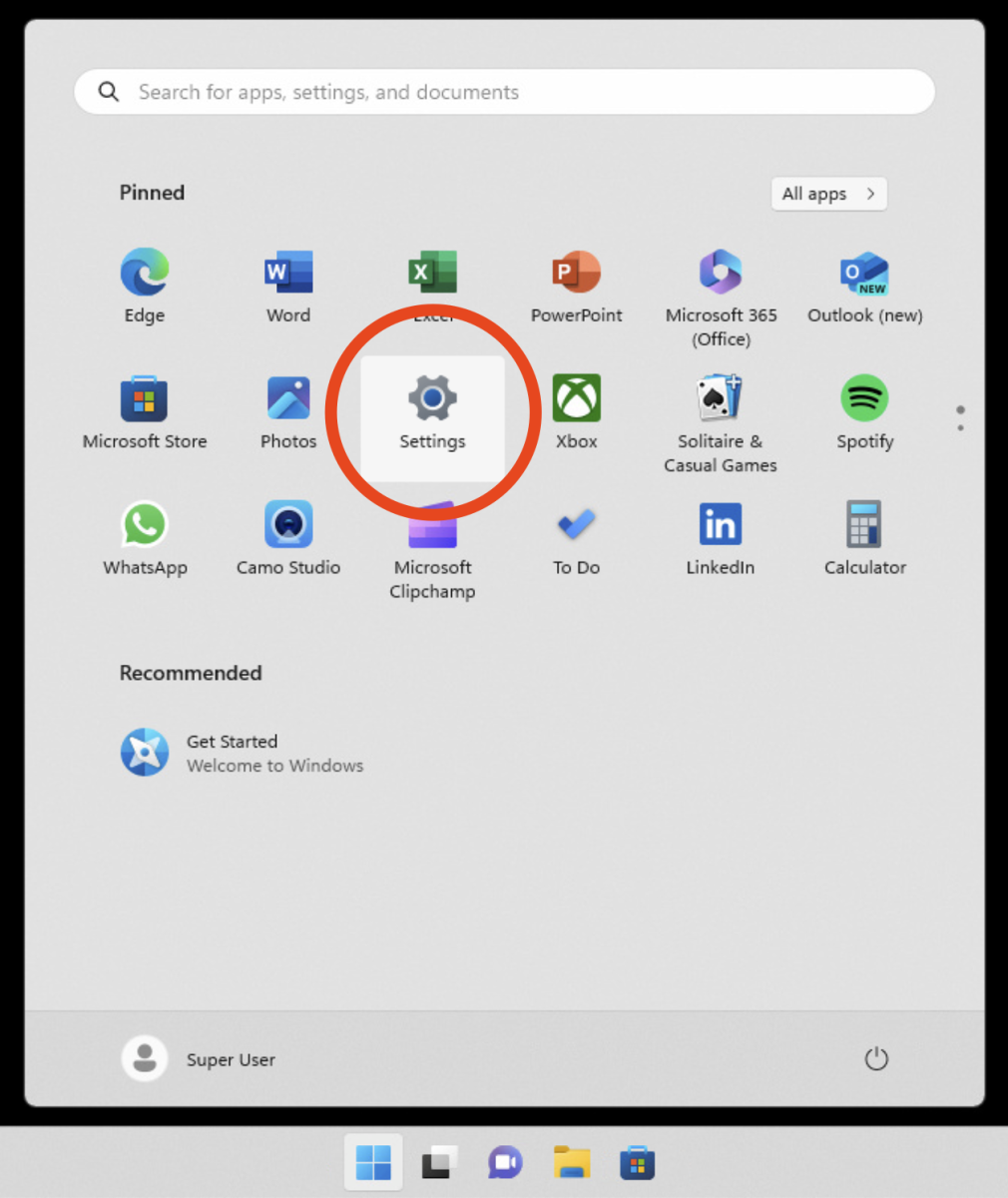
  1. Click the Start button and select the gear-shaped Settings icon from the left-side menu.
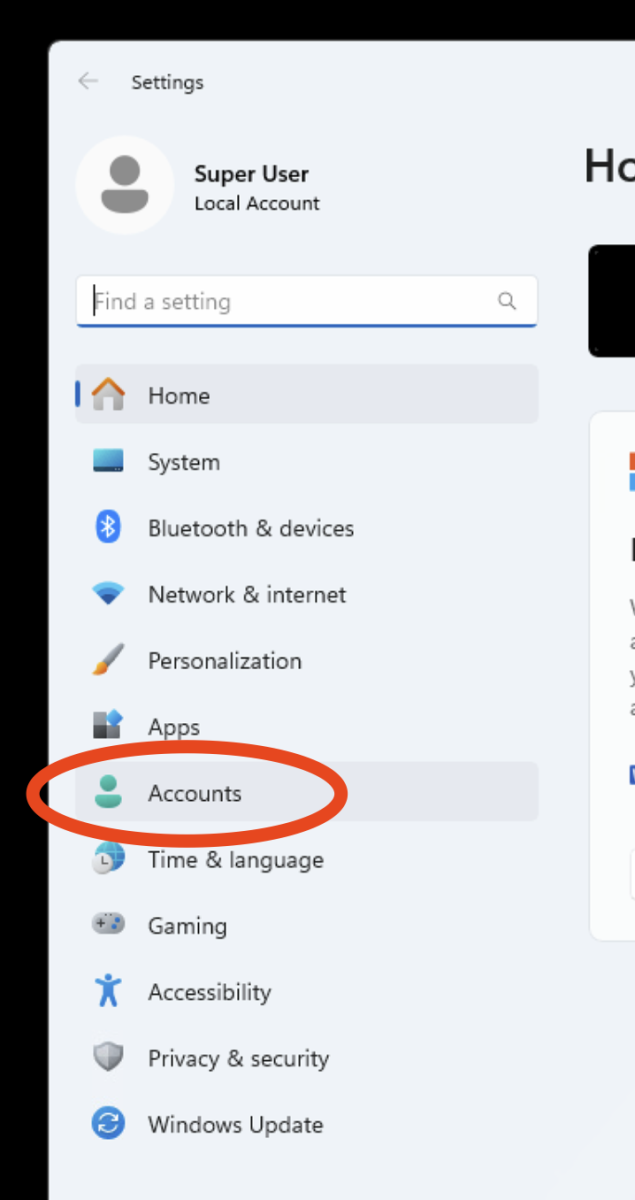
2. In the Settings app, go to the “Accounts” tab.
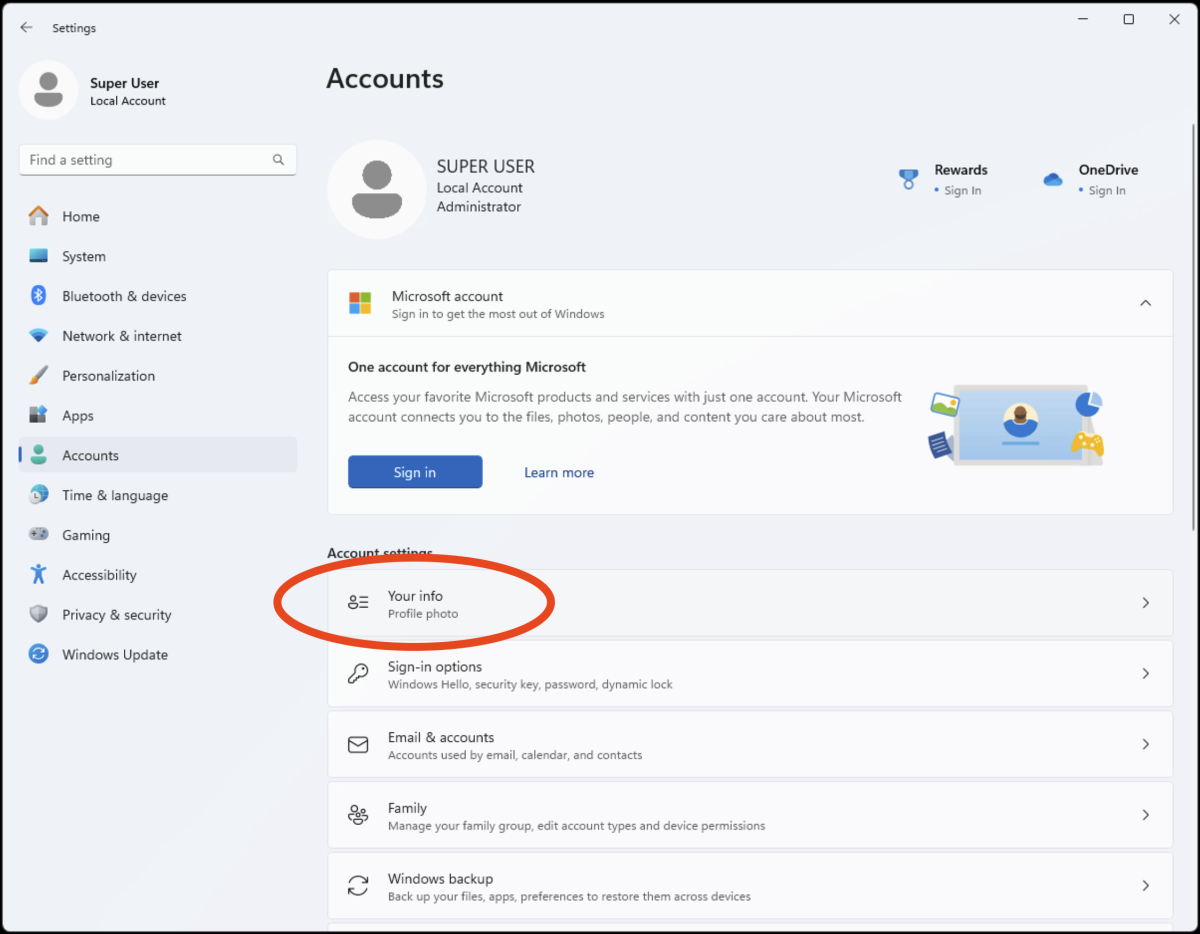
3. At the left-hand side of the window, click on “Your info.”
  1. Under “Your info,” select “Sign in with a local account instead.”
  2. Windows 11 will guide you through the process. Enter your current password and create a new username and password for your local account.
Account ConverthowtoLocal AccountMicrosoft Account

Daily news updates

Recent Posts

  • [HowTo] Windows 10/11 – Converting accounts to Local Account
  • [HowTo] MacOS theCloudAtWork – How to Connect to RemoteApp and Desktop Connections via Microsoft Remote Desktop
  • [HowTo] theCloudAtWork – How to Connect to RemoteApp and Desktop Connections
  • [HowTo] EMAIL – how to configure Outlook email client
  • [HowTo] email – Mobile device setup

Recent Comments

    Archives

    • November 2023
    • May 2023
    • July 2022
    • May 2022
    • March 2020
    • February 2018
    • July 2015
    • March 2015
    • October 2014

    Categories

    • HowTo
    • News
    • theCloudAtWork

    Meta

    • Log in
    • Entries feed
    • Comments feed
    • WordPress.org
    Proudly powered by WordPress